
Steam Marketplace for CS2: Step-by-Step Trading Guide 2026
The Steam Community Market lets Steam users list eligible in-game items and purchase listings from other community members.
Transactions use Steam Wallet funds. When you sell a CS2 item, the proceeds go into your Steam Wallet rather than directly to a bank account.
That distinction matters. Steam Wallet funds can be spent within the Steam ecosystem, but Steam states that Community Market funds cannot be withdrawn or transferred to a bank or third-party account.
The Community Market also differs from direct Steam trading. You do not negotiate with a seller, review their reputation and send them money manually. The marketplace handles the transaction through Steam.
What Can You Trade?
Many CS2 inventory items can appear on the market, including:
Weapon skins
Knives
Gloves
Cases
Stickers
Capsules
Agents
Music Kits
Graffiti
StatTrak variants of eligible items
Whether a specific item is marketable depends on its current inventory restrictions.
Step 1: Secure Your Steam Account
Before using the market, protect the account holding your skins.
Enable Steam Guard
Steam Guard is fundamental to Steam account security and is also tied to Community Market access.
For active CS2 traders, the Steam Guard Mobile Authenticator is particularly useful because confirmations can be handled through the Steam mobile app.
Never approve an authentication or trade confirmation you did not initiate.
Protect Your Login
Use a unique password for Steam and secure the email account connected to it. Never enter your Steam credentials into a site reached through a suspicious Discord DM, Steam message or search advertisement.
A fake Steam login page can look almost identical to the real one.
Pro tip: Instead of repeatedly following marketplace links from messages or search results, access the Community Market directly through Steam or a trusted bookmark.
Step 2: Get Access to the Community Market
A fresh Steam account may not receive immediate Community Market access.
Steam currently states that an account needs a successful Steam purchase that is more than seven days old but less than one year old, while Steam Guard must have been enabled for at least 15 days.
Other security events can temporarily restrict market access. Examples include certain password resets, changes to Steam Guard and the use of newly added payment methods.
Steam Support also states that it cannot manually remove legitimate Market or trading restrictions.
Why Is My Steam Market Locked?
Common reasons include:
| Restriction | Possible Cause |
|---|---|
| Market unavailable | Steam Guard was enabled too recently |
| Temporary restriction | Recent password reset |
| Payment restriction | Newly added or unverified payment method |
| New-device restriction | Login from a device not previously authorized |
| Account eligibility | No qualifying Steam purchase |
| Item unavailable | The specific item is temporarily or permanently non-marketable |
Check the warning displayed by Steam before assuming there is a problem with the item itself.
Step 3: Add Funds to Your Steam Wallet
Buying through the Steam Marketplace for CS2 requires sufficient Steam Wallet balance.
Funds can be added through payment methods supported by Steam for your account and region. Available options can vary by country and account.
Do not assume that every payment method mentioned in older CS2 guides is still supported. For example, Steam discontinued direct Bitcoin payment support years ago.
Remember the Cash-Out Limitation
Selling a skin on Steam does not give you withdrawable cash.
This makes the Community Market useful when you plan to spend the balance on Steam, but less suitable if your goal is converting skins into money you can withdraw.
Step 4: Find CS2 Skins Efficiently
The Community Market contains hundreds of thousands of listings across supported games, so searching correctly saves time.
Select Counter-Strike 2 and narrow your search using the available filters and item names.
For example, searching for:
AK-47 | Redline
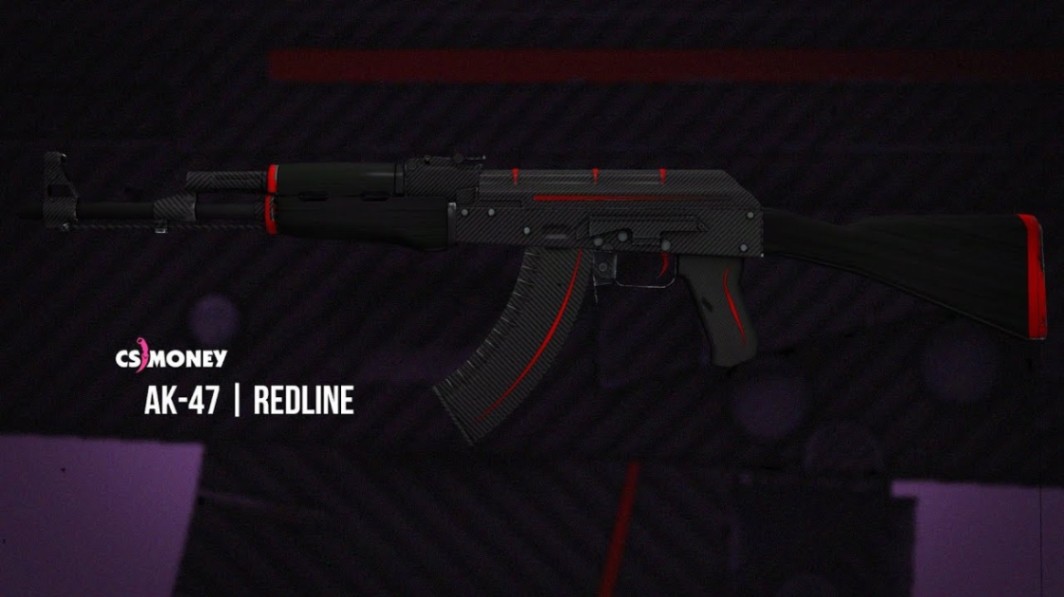
is more useful than simply searching for:
AK-47
Wear can narrow the result further:
Factory New — FN
Minimal Wear — MW
Field-Tested — FT
Well-Worn — WW
Battle-Scarred — BS
Not every skin exists in every wear tier, so check the finish before assuming a particular condition is available.
Use the Price History
Market pages provide historical sales information that can help you understand recent price behavior and trading volume.
Do not treat the chart as a complete valuation tool, however.
The standard market price does not necessarily capture premiums attached to rare patterns, exceptional floats or expensive sticker combinations.
Step 5: Inspect a Skin Before Buying
This is where experienced CS2 traders separate a normal market skin from an unusual specimen.
Check the Float
Float determines the wear value of a skin within its permitted range.
Two Field-Tested examples of the same finish can look noticeably different if one sits near the MW boundary and the other is close to Well-Worn.
Float can be especially important on skins where scratches or wear strongly affect the artwork.
Check the Pattern Seed
Pattern seed can dramatically change the appearance of pattern-based finishes.
A classic example is AK-47 | Case Hardened. Two examples with the same exterior can have very different amounts and positioning of blue on the weapon.
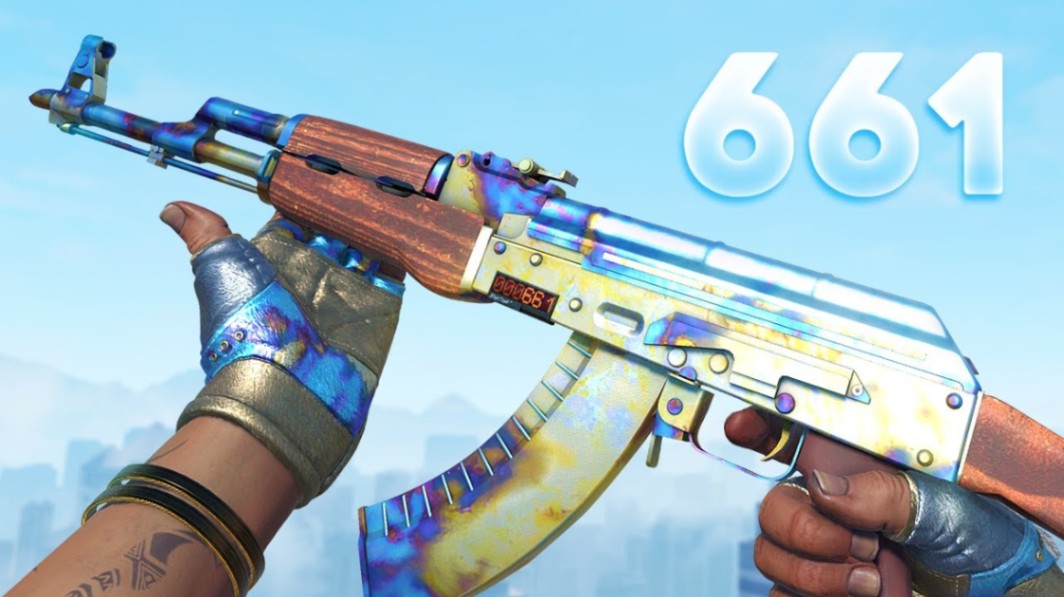
The ordinary Steam listing price should therefore never be your only reference when evaluating a potentially unusual Case Hardened pattern.
Understand Doppler Phases
Doppler-family knives are another case where the finish name alone may not tell the full story.
Depending on the specific finish and generation, collectors distinguish between different phases and rare variants. Visual appearance can therefore affect demand beyond basic exterior condition.
Inspect Stickers
Check:
Sticker name
Position
Condition
Whether it is holo, foil or another variant
Overall craft quality
A valuable sticker does not automatically add its full standalone value to a skin.
For example, a desirable Katowice 2014 Holo applied to an older weapon can create a substantial collector premium, but that premium depends heavily on the skin, sticker position and buyer demand.
Pro tip: Treat unusual float, pattern and sticker combinations as individually valued items rather than ordinary commodity listings.
Step 6: Buy CS2 Skins
There are two basic approaches: purchase an available listing or use a buy order where supported.
Buying an Existing Listing
For a straightforward commodity item, the process is simple:
Find the exact skin and exterior.
Review available listings.
Check the item's details.
Inspect it when necessary.
Confirm the final amount.
Complete the purchase through Steam.
This works well for highly liquid items where individual examples have little collector premium.
Using Buy Orders
A buy order specifies how much you are prepared to pay for an item.
This can be useful when you do not need the skin immediately. Instead of accepting the lowest current listing, you wait for a matching item to become available at your order price.
Buy orders are especially practical for standardized, liquid items such as cases and common skins.
They are less useful when you need a specific float, sticker craft or pattern.
Step 7: Sell CS2 Skins
Selling starts from your inventory or the Community Market's selling interface.
1. Check Whether the Item Is Marketable
Steam displays whether an item can currently be sold.
A cooldown or other restriction can prevent immediate listing.
2. Research the Market
Look at more than the cheapest listing.
Check recent sales activity, available supply and the gap between buyers and sellers. For unusual items, research comparable floats, patterns and sticker combinations separately.
3. Set Your Price
Steam shows how much the buyer pays and how much you receive after applicable fees.
This is the figure that matters.
If you want a specific amount in your Wallet, work backward from the amount you receive rather than simply copying another seller's displayed price.
4. Confirm the Listing
Depending on the item, account configuration and Steam's security rules, you may need to confirm a listing through the Steam mobile app.
Double-check the item and price before confirming.
A missing digit on a valuable knife is not the kind of mistake you want to discover after somebody buys it.
Steam Market Fees Explained
Fees are one of the most important differences between the displayed market price and the amount a seller receives.
Steam's Community Market FAQ currently lists a 5% Steam Transaction Fee and a 10% game-specific Counter-Strike fee, subject to Valve's calculation rules and minimums.
Rather than manually assuming every transaction works out to an exact percentage, use the final values shown by Steam when creating the listing.
| Factor | Steam Community Market |
|---|---|
| Currency received | Steam Wallet funds |
| Steam transaction fee | Currently listed as 5% |
| CS2 game-specific fee | Currently listed as 10% |
| Cash withdrawal | No |
| Direct negotiation | No |
| Buy orders | Available for supported listings |
| Price history | Available |
| Steam-integrated security | Yes |
Note: Fee structures and market rules can change. Always check the confirmation screen before completing a high-value transaction.
Steam Market vs Third-Party Marketplaces
Steam is not automatically the best venue for every CS2 transaction.
| Feature | Steam Market | Third-Party Marketplace |
|---|---|---|
| Steam integration | Excellent | Varies |
| Payment balance | Steam Wallet | Platform-dependent |
| Cash withdrawal | No | Often available, platform-dependent |
| CS2 market fees | Steam/game fees apply | Varies |
| Special pattern pricing | Limited | Often better on specialist markets |
| Float-based searching | Limited compared with specialist tools | Often more advanced |
| Counterparty interaction | Minimal | Depends on platform |
| Risk profile | Steam-controlled environment | Depends heavily on platform |
Steam makes sense for players who want convenience and intend to keep their funds inside Steam.
Specialist marketplaces may offer more detailed filters or cash-out options, but they introduce another platform into the transaction. Verify the site's reputation, domain and withdrawal conditions before depositing items or signing in.
Common Steam Marketplace Mistakes
Treating Every Copy of a Skin as Equal
An AWP | Asiimov (Battle-Scarred) is not necessarily interchangeable with every other BS Asiimov. Float and visual wear can matter to collectors.
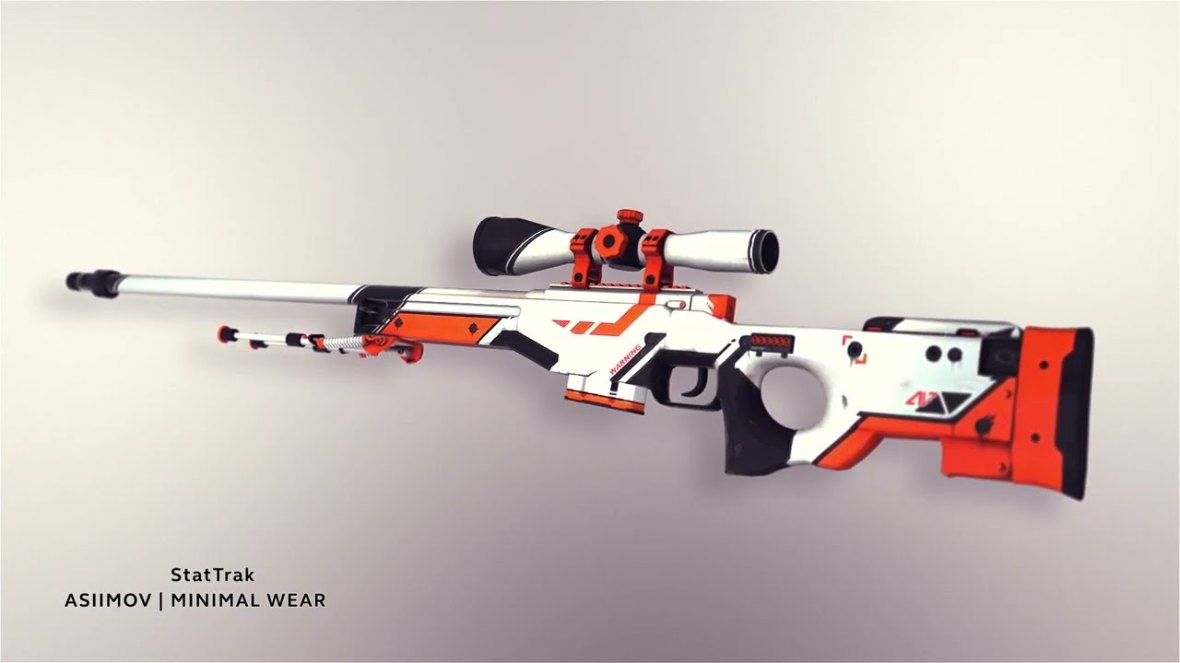
The same principle becomes even more important for Case Hardened patterns, Dopplers and sticker crafts.
Pricing Only From Active Listings
A seller can list an item at any allowed price. That does not mean somebody is willing to buy it there.
Recent sales and actual liquidity usually provide more context than one ambitious listing.
Expecting to Withdraw Steam Balance
This is one of the biggest beginner mistakes.
Community Market proceeds remain in the Steam Wallet. If your objective is cashing out, understand that limitation before selling a valuable inventory on Steam.
Ignoring Fees
Always compare what you receive, not merely what the buyer pays.
The difference becomes increasingly noticeable as item value rises.
Buying a Special Pattern Blind
Never evaluate a rare-pattern item solely by its generic market name.
A Case Hardened pattern, Doppler variant or premium sticker craft deserves closer inspection before purchase.
Security Tips for CS2 Traders
The safest Marketplace transaction can still begin with an unsafe login.
Watch for phishing domains, fake Steam Support accounts, impersonators and unsolicited trade links. A common scam does not need to compromise Steam itself—it only needs to convince you to give away your credentials or approve the wrong action.
Never share Steam Guard codes.
Never approve a confirmation simply because someone says it is required for "verification."
Never transfer an item to a stranger who claims it must be "checked" before a sale.
And do not assume a page is legitimate because it displays familiar Steam branding.
Pro tip: When something unexpected appears during a high-value transaction, stop and independently check your Steam inventory, trade history and account sessions before approving anything.
Getting More Value From the Steam Marketplace for CS2
The best way to use the market depends on the type of item.
For liquid commodity items such as cases, capsules and common skins, focus on spread, recent sales and volume.
For ordinary weapon skins, add wear and float to the equation.
For collector-grade skins, examine the individual item. Pattern seed, low or high float, StatTrak status and sticker placement may matter more than the generic market chart.
Consider an AK-47 | Case Hardened with an unusual pattern or a classic skin carrying desirable Katowice 2014 stickers. Treating either as a generic listing can produce a poor valuation.
The Steam Market is excellent at showing what standard items are trading for. It is not a substitute for specialist valuation when the item itself is unusual.
Key Takeaways
The Steam Marketplace for CS2 uses Steam Wallet funds for purchases and sales.
Secure your account with Steam Guard before trading valuable items.
Check float, wear, pattern seed, StatTrak status and stickers before buying expensive skins.
Use buy orders when you can wait for a better price on standardized items.
Compare the seller's net proceeds after fees rather than looking only at the buyer's price.
Steam Wallet funds cannot be withdrawn directly to a bank or third-party account.
FAQ
Is the Steam Marketplace safe for buying CS2 skins?
The Community Market is operated directly through Steam, removing many counterparty risks associated with direct deals. Account phishing and compromised credentials remain risks, so Steam Guard and careful login practices are still essential.
Can you withdraw money from the Steam Marketplace?
No. Funds earned from Community Market sales go to your Steam Wallet. Steam states that Community Market funds cannot be withdrawn or transferred to a bank or third-party account.
How much does Steam charge when selling CS2 skins?
Steam currently documents a 5% Steam Transaction Fee and a 10% Counter-Strike game-specific fee, with calculation rules and minimum fees applying. Check the listing confirmation for the exact amount you will receive.
Why can't I use the Steam Community Market?
Possible causes include recently enabling Steam Guard, a recent password reset, a new payment method, a new device or not having an eligible Steam purchase. Steam displays the applicable restriction when possible.
Are buy orders better than buying a CS2 skin immediately?
They can be. A buy order lets you wait for a seller to meet your price instead of accepting the lowest available listing. Immediate purchases make more sense when you need the item quickly or want to inspect and choose a particular example.
Should I buy rare CS2 skins through the Steam Marketplace?
You can, but inspect collector-grade items carefully. Rare Case Hardened patterns, Doppler variants, extreme floats and expensive sticker crafts may carry premiums that the standard market price does not represent accurately.
Author & Update
CS2News Editorial Team — Counter-Strike market coverage focused on CS2 skins, trading mechanics, item valuation and account security. Updated: September 2026.