
How to Trade CS2 Skins: Step-by-Step Trading Guide 2026
CS2 skins are cosmetic items stored in your Steam inventory. Depending on their current trade status, they can be exchanged between Steam accounts through Steam's trading system.
Trading is different from selling an item on the Steam Community Market. A direct trade exchanges items between players, while a Market transaction sells an item for Steam Wallet funds.
Third-party marketplaces add another option. Some support skin-to-skin transactions, while others focus on buying and selling items for cash. Their fees, withdrawal methods, verification requirements, regional availability, and trading systems differ.
Before using any external service, verify that you are on the correct website and understand how its trading process works.
Note: Prices and liquidity change—check current offers at time of reading.
How to Trade CS2 Skins Step by Step
1. Secure Your Steam Account
Security comes before price checking.
Enable Steam Guard and protect both your Steam account and the email account connected to it. Use a unique password and never give anyone your password, authentication codes, recovery codes, or session credentials.
Be especially careful with links sent through Steam chat, Discord, social media, or private messages.
Scammers regularly imitate trading sites, tournament platforms, voting pages, and legitimate Steam login screens.
If a stranger tells you that you must "verify" an item on another website before trading, treat the request as suspicious.
2. Make Sure Your Items Are Tradable
Owning a CS2 skin does not necessarily mean you can transfer it immediately.
Items can temporarily be subject to trade restrictions depending on Steam's current rules and how the item was acquired. Check the item directly in your inventory before arranging a deal.
This is particularly important when you have recently bought, received, or otherwise acquired a skin.
Planning a deal before checking the item's trade status can waste time for both sides.
3. Inspect the Skin Before Trading
Two skins with the same weapon and finish can have very different collector appeal.
Start with the basics:
Exterior: Factory New, Minimal Wear, Field-Tested, Well-Worn, or Battle-Scarred
Float value
StatTrak status
Pattern or paint seed
Applied stickers
Sticker placement and condition
Special finish characteristics
Consider the AK-47 | Case Hardened. Pattern distribution can matter enormously because certain blue-heavy patterns receive more collector attention than ordinary examples.
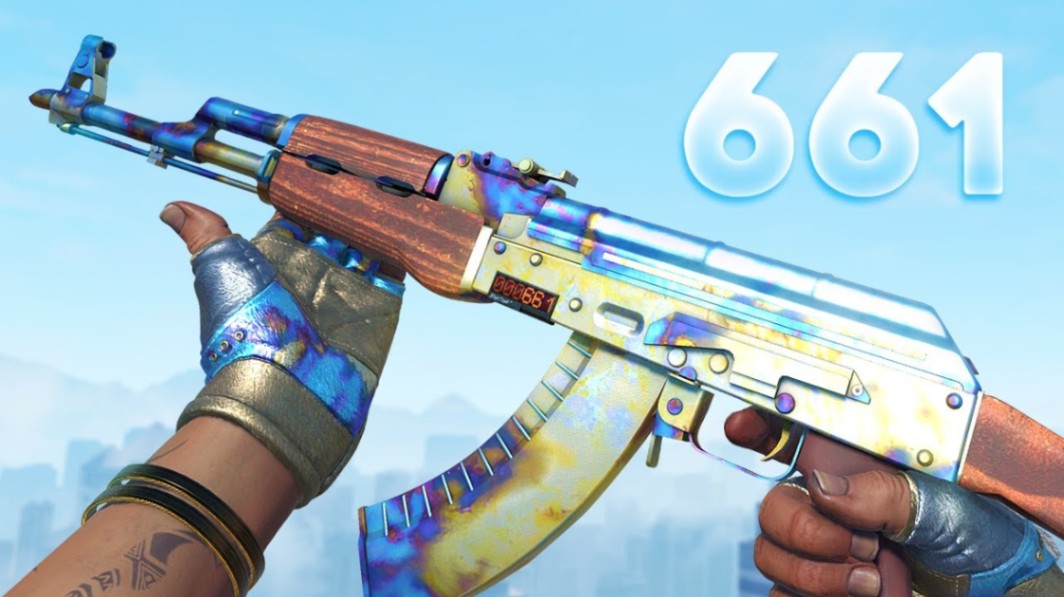
Doppler knives are another obvious case. The phase or special variant can matter alongside the knife model, float, and overall appearance.
Stickered weapons require even more care. An older skin carrying a desirable Katowice 2014 holo is not automatically worth the sticker's standalone market value, but the craft may still command a meaningful premium.
Do not price these items as generic versions of the same skin.
4. Research the Current Market Value
A skin's listed price and its realistic trading value are not always the same.
Check several current listings and, where reliable data is available, recent sales. Look for comparable items with similar exterior, float, pattern characteristics, StatTrak status, and sticker combinations.
For common liquid skins, finding comparable listings is relatively straightforward.
Rare patterns and expensive sticker crafts are harder. A single listing does not establish market value, especially when the seller can choose any asking price.
Also remember that prices across marketplaces may differ because their fee structures and payment systems are different.
5. Choose Where to Trade
There are several ways to exchange or sell CS2 items.
| Method | Main Advantage | Main Limitation | Best For |
|---|---|---|---|
| Steam direct trade | Native Steam system | Requires another trader | Skin-to-skin deals |
| Steam Community Market | Integrated into Steam | Funds remain in Steam Wallet | Straightforward sales |
| Established third-party marketplace | May support cash sales | External platform risk and fees | Buying or selling outside Steam Wallet |
| Direct community trade | Flexible negotiation | Higher counterparty risk | Experienced traders |
Beginners should prioritize security and simplicity over squeezing every possible percentage point from a transaction.
A slightly better offer is rarely worth exposing your account to an unfamiliar login page or questionable middleman.
6. Review the Trade Offer
Never confirm a trade from the notification alone.
Open the actual trade offer and inspect every item.
Check the weapon, finish, exterior, StatTrak status, stickers, and other relevant properties. Expensive skins may look similar to cheaper variants at a glance.
Also verify the account you're trading with.
Impersonation is common around valuable inventories. A copied avatar, nickname, profile description, or inventory presentation does not prove that an account belongs to the person you think it does.
For a major trade, slow down and verify everything independently.
7. Confirm the Trade Safely
Perform a final check before accepting.
Make sure the items shown in the confirmation match the deal you agreed to. If anything changes unexpectedly, cancel and investigate rather than assuming it is harmless.
Never approve a different offer because someone claims the original trade "failed."
And never let another person rush you with artificial deadlines.
Pro tip: For high-value trades, write down the exact skin, exterior, float, pattern information, stickers, and agreed exchange before opening the final offer. Compare that information with the confirmation screen.
Steam Market vs Direct Trading
Understanding the difference between selling and trading prevents a lot of beginner mistakes.
Steam Community Market
The Steam Community Market is useful when you want to sell an eligible item and use the proceeds inside Steam.
It is convenient because the transaction stays within Steam's ecosystem.
The key limitation is that Steam Wallet funds are not the same as withdrawable cash. Fees also affect the amount you receive.
Direct Steam Trading
Direct trading allows two Steam users to exchange eligible items.
This works well when both sides already know what they want. For example, one player might exchange several liquid skins for a higher-value knife, provided both sides agree on the valuation.
Direct trading also creates more room for negotiation.
That flexibility increases the importance of checking every item carefully.
Third-Party Marketplaces
External marketplaces can offer different pricing structures and, depending on the service and region, cash withdrawal options.
However, they introduce risks that do not exist in exactly the same form inside Steam.
Before using one, check its current reputation, fee structure, withdrawal rules, authentication process, supported countries, and trading method.
Do not choose a platform simply because someone sent you a link.
What Determines a CS2 Skin's Trade Value?
Understanding valuation is essential if you want to learn how to trade CS2 skins rather than simply swap items blindly.
Skin and Weapon
Demand differs significantly between weapons and finishes.
Popular rifles, AWPs, pistols, knives, and gloves often have active markets, but liquidity varies from item to item.
An expensive asking price does not necessarily mean an item will sell quickly at that price.
Exterior and Float
CS2 uses float values to determine wear.
The familiar exterior categories are:
| Exterior | Abbreviation |
|---|---|
| Factory New | FN |
| Minimal Wear | MW |
| Field-Tested | FT |
| Well-Worn | WW |
| Battle-Scarred | BS |
Do not assume every skin can exist across the full float spectrum. Individual finishes can have restricted float ranges.
Floats near important wear boundaries can also attract extra interest, while extremely low or high float examples may appeal to collectors.
Pattern and Seed
For many skins, the pattern seed has limited influence on normal market pricing.
For certain finishes, however, pattern can become one of the item's defining characteristics.
Case Hardened is the classic example. Blue distribution can transform how collectors evaluate an otherwise ordinary-looking listing.
Other pattern-based finishes can also have desirable placements or variations.
StatTrak
StatTrak variants record qualifying kills made by the item's owner.
They are separate versions of a skin and frequently trade differently from their non-StatTrak counterparts.
Never compare a StatTrak listing directly with a standard skin without accounting for that difference.
Stickers
Stickers can complicate valuation considerably.
A weapon carrying desirable holo, foil, tournament, or older collector stickers may be worth more than an unmodified version.
But there is no universal formula where an applied sticker simply adds a fixed percentage of its unapplied value.
Placement, combination, skin synergy, rarity, condition, and buyer demand all matter.
A Katowice 2014 holo craft is a good example of an item that may require specialist valuation rather than a generic marketplace comparison.
How to Avoid CS2 Trading Scams
Trading safely is mostly about refusing to bypass basic security habits.
Watch for:
Fake Steam login pages
Impersonated traders or marketplace accounts
Fake middlemen
Requests to "verify" or "check" your items
Suspicious browser extensions or downloads
Altered trade offers
Requests for authentication or recovery information
Pressure to move the conversation to an unfamiliar website
Deals that depend on you acting immediately
Never send a skin to another account simply to prove that it is tradable, legitimate, clean, or yours.
Steam already provides the information required to identify and transfer eligible inventory items.
Note: If you clicked a suspicious login link or exposed account credentials, secure the account before continuing to trade. Do not keep accepting offers while trying to determine whether the account has been compromised.
Trading Strategies for Beginners
New traders often focus too heavily on finding an item that will suddenly increase in price.
A better starting point is understanding liquidity.
A skin with plenty of genuine buyers and sellers is generally easier to value than an unusual collector item with very few comparable transactions.
Learn the market using recognizable items before attempting complex deals involving rare Case Hardened patterns, low-float collectibles, or expensive sticker crafts.
Keep fees in mind as well. A trade that looks profitable before marketplace fees, withdrawal costs, or spreads may look very different afterward.
Finally, separate collecting from trading.
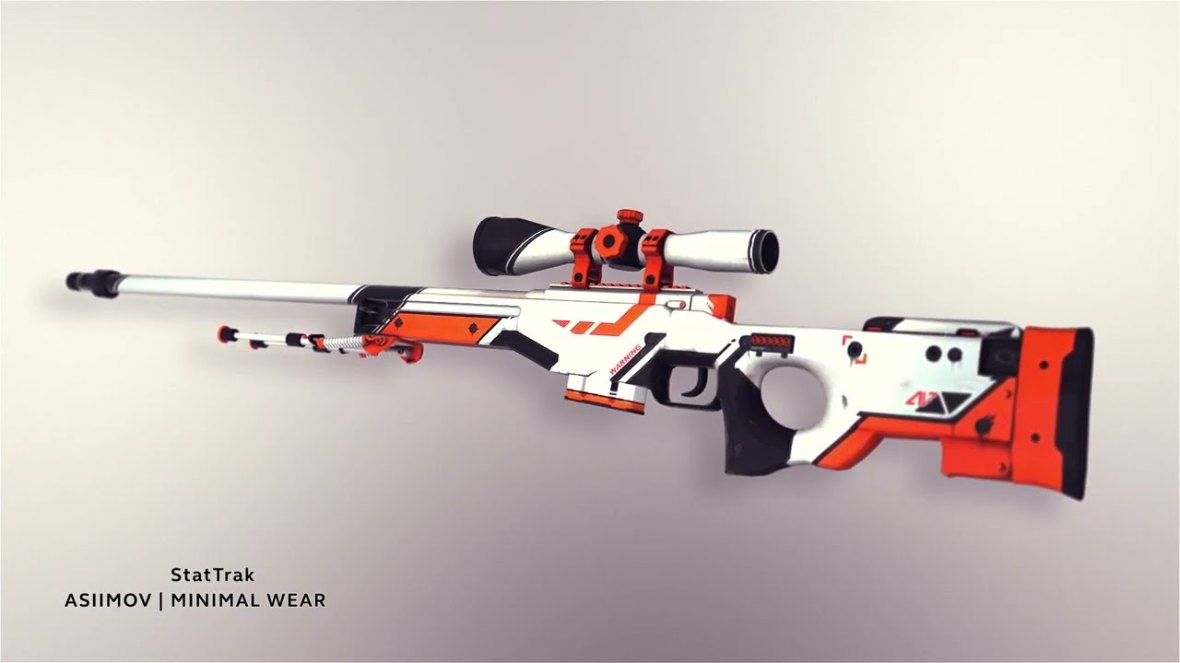
If you want an AWP | Asiimov because you enjoy using it, your personal preference matters. If you're evaluating it purely as a trade asset, liquidity, condition, acquisition cost, and realistic resale value matter more.
Key Takeaways
Secure Steam and your connected email before trading valuable items.
Check exterior, float, pattern, StatTrak status, and stickers before valuing a skin.
Compare multiple current listings instead of trusting one asking price.
Verify the exact account and every item before confirming a trade.
Avoid third-party links and "verification" requests from strangers.
Account for marketplace fees and liquidity when comparing deals.
FAQ
How do you trade CS2 skins?
To trade CS2 skins, use an eligible Steam account and tradable inventory items, choose another trader, agree on the exchange, review the Steam trade offer, and verify every item before confirming it.
Can you trade CS2 skins for real money?
Steam's Community Market uses Steam Wallet funds rather than direct cash withdrawals. Some third-party marketplaces support cash transactions, subject to their current payment methods, fees, verification requirements, and regional restrictions.
Why can't I trade my CS2 skin?
The item or account may currently have a trade restriction. Check the item's status and Steam's current trading requirements rather than relying on older guides, since platform rules can change.
How do I know what my CS2 skin is worth?
Compare current listings and relevant recent sales for the same finish and exterior. For unusual items, also account for float, pattern seed, StatTrak status, stickers, sticker placement, and collector demand.
Are CS2 skin trades safe?
Steam's trading tools provide a structured way to exchange eligible items, but scams can still target users through phishing, impersonation, fake websites, and manipulated offers. Always verify the account and final trade contents yourself.
What is the safest way to trade expensive CS2 skins?
Use strong Steam account security, avoid unsolicited external links, document the agreed items, independently verify the other account, and inspect the complete trade confirmation. Rare patterns and valuable sticker crafts may also require additional valuation research before a deal.
Wrap-Up: How to Trade CS2 Skins Without Costly Mistakes
Learning how to trade CS2 skins is less about finding secret deals and more about understanding exactly what you're exchanging.
Check the float. Inspect the pattern. Value stickers separately from ordinary market skins. Compare current listings. Understand fees. Most importantly, never sacrifice account security because someone promises a better price or pressures you to complete a trade quickly.
A valuable inventory takes time to build and seconds to lose. Treat every confirmation screen like it matters—because once expensive skins are involved, it does.
Author & Update: CS2 market and skin-trading editorial team, covering Counter-Strike cosmetics, item mechanics, floats, patterns, stickers, and marketplace trends. Updated: October 2026.