
How to Avoid Scams in CS2 Skin Trading: Essential Safety Tips
The CS2 economy works almost like a digital collectibles market.
Certain skins—especially low-float, rare pattern, or stickered items—can carry significant value. Examples include:
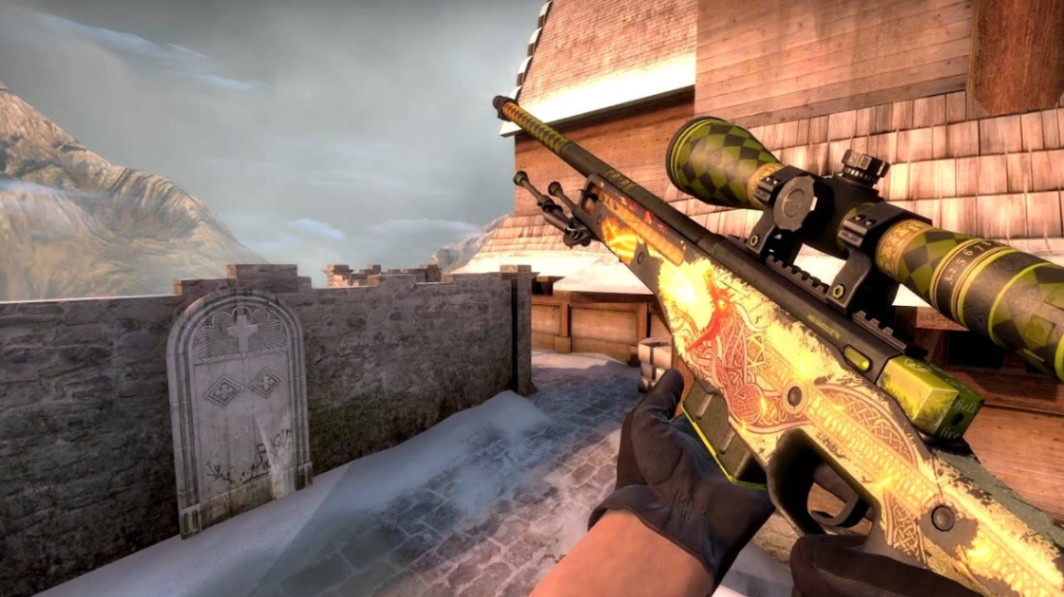
AWP Dragon Lore (Factory New) from the Cobblestone Collection
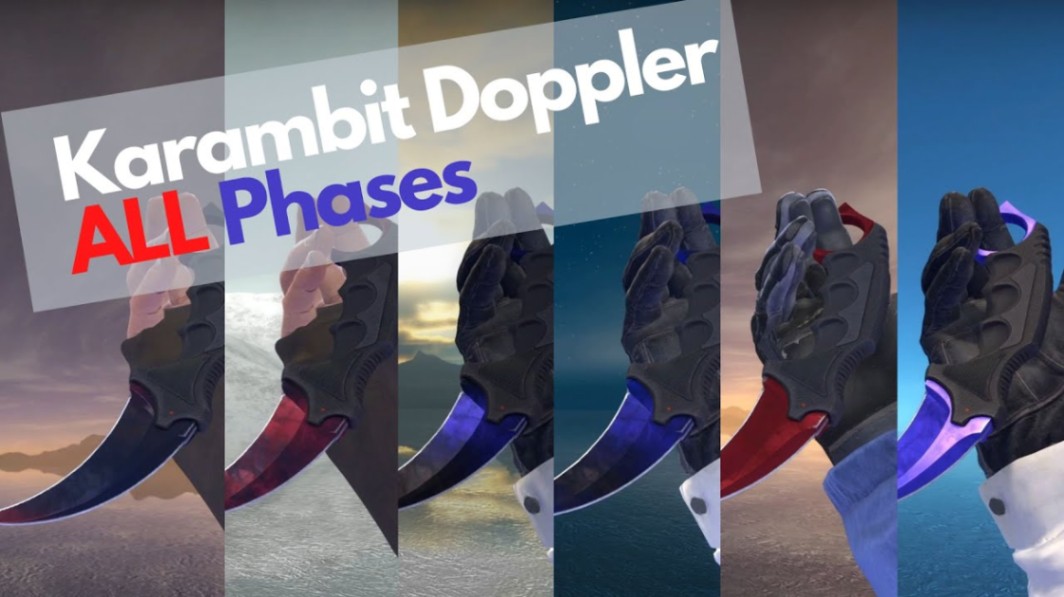
Karambit Doppler Phase variants
AK-47 Case Hardened blue gem patterns

Sticker crafts using Katowice 2014 holo or foil stickers
Because trades often happen peer-to-peer through Steam offers, scammers attempt to intercept these transactions.
Most scams fall into a few recognizable categories.
The Most Common CS2 Skin Trading Scams
Phishing and Fake Steam Login Pages
Phishing is one of the oldest tricks in the CS2 trading scene.
A scammer sends a link to a site that looks identical to the Steam login page. Once you enter your credentials and Steam Guard code, they immediately gain access to your account.
Common bait messages include:
“Vote for my CS2 team”
“Free skin giveaway”
“Join this tournament”
“Check your item price”
How to avoid it
Never log in through links sent in Discord or Steam chat
Bookmark the official Steam domain
Check the URL carefully before entering credentials
Even experienced traders lose inventories this way.
Pro tip: If a website asks you to log in again while you're already logged into Steam in your browser, treat it as suspicious.
Impersonation and Showcase Scams
This scam targets players with valuable skins.
A scammer pretends to be a trader, YouTuber, or tournament organizer. They claim they want to “feature” your skin in a video or stream.
Typical script:
They compliment your inventory
Ask to “borrow” the skin briefly
Promise exposure or a shout-out
Once the item is sent, the account disappears.
Realistic example
A trader might target someone holding a StatTrak AK-47 Redline with multiple holo stickers or a rare AWP Asiimov low-float variant.
The skin doesn’t need to be extremely expensive—just desirable.
How to avoid it
Never send skins for “showcases”
Verify identities through official channels
Check Steam account age and inventory history
If someone needs the skin for content, they can use inspect links instead.
Fake Trade Bots and Middleman Scams
Marketplace trading bots are common on third-party trading platforms. Scammers exploit that expectation.
They create accounts that look identical to legitimate bots, including similar names and avatars.
A trader lists an item expecting a bot trade. Instead, a scammer sends a fake trade offer first.
If accepted, the item is gone instantly.
Warning signs
Slightly altered bot name
Different Steam level
Missing trade history
Trade sent before the marketplace confirms it
Example scenario
A player lists a Karambit Doppler Phase 2 expecting a bot trade. A fake account sends an offer seconds later that looks identical to the real bot.
The difference may only be a single character in the name.
Always verify the Steam profile URL and ID.
Item Switching in Trade Offers
This scam relies on distraction.
During negotiation, the scammer initially shows the correct item. Before the final trade, they swap it for a cheaper variant.
Examples include switching:
Factory New → Field-Tested
StatTrak → non-StatTrak
Doppler Phase → generic Doppler
Because the trade window shows small thumbnails, careless traders miss the change.
How to avoid it
Before accepting any trade:
Expand item details
Check wear tier (FN, MW, FT, WW, BS)
Inspect float value
Confirm pattern/seed if relevant
Never rush the final confirmation.
How to Verify Skins and Trade Partners
Smart traders verify everything before sending items.
Check the profile
Look for:
Steam level
Account age
Public inventory
Trade history comments
A brand-new account with private inventory is risky.
Inspect the skin directly
Always inspect the item before trading.
Things to confirm:
Float value
Pattern index (for Case Hardened or Doppler variants)
Sticker placement
StatTrak counter
For example, a Case Hardened AK-47 blue gem relies heavily on pattern number. Two skins with identical names can differ massively in desirability.
Note: Screenshots are easy to fake. Use the Steam inspect function instead.
Account Security Every Trader Should Use
Even careful traders can lose items if their account security is weak.
These protections are essential.
Enable Steam Guard Mobile Authenticator
This adds two-factor authentication to every login and trade confirmation.
Without it, your account is significantly easier to compromise.
Revoke your Steam API key regularly
Many phishing attacks steal API access, which allows scammers to intercept trades.
Revoking the key removes that control.
Avoid browser extensions from unknown sources
Some extensions monitor trading activity and replace trade offers automatically.
Install only trusted tools.
Use a unique password
Never reuse your Steam password for:
Discord
Trading forums
Giveaway sites
Credential leaks from other platforms often lead to stolen inventories.
What to Do If Your CS2 Skins Are Stolen
Recovery is difficult, but quick action helps limit damage.
Step 1: Change your Steam password immediately
This blocks further access.
Step 2: Deauthorize all devices
Steam allows you to log out every active session.
Step 3: Revoke API access
Removing your API key stops automated trade manipulation.
Step 4: Contact Steam Support
Provide:
trade history screenshots
scammer profile link
timestamps of trades
Item restoration is rare today, but reporting the account helps prevent further scams.
Key Takeaways
Learning how to avoid scams in CS2 skin trading starts with verifying every trade and account.
Most scams rely on fake links, impersonation, or rushed trade offers.
Always inspect skins for float, wear tier, and pattern before confirming trades.
Strong Steam security—especially Steam Guard and API management—prevents many account takeovers.
If something feels rushed or suspicious, pause the trade.
FAQ
How do most CS2 skin trading scams happen?
Most scams happen through phishing websites, fake trade bots, or impersonation attempts. Scammers usually pressure players to act quickly before verifying details.
Can Steam recover stolen CS2 skins?
In most cases Steam does not restore items lost through trades. Reporting the scammer is still important to help prevent further abuse.
Are third-party trading sites safe?
Some established marketplaces operate legitimate bot systems. Always verify bot profiles and confirm trades through the official platform interface.
What is the safest way to trade CS2 skins?
The safest method is trading directly through the Steam trade window with verified users and carefully inspecting every item before confirming.
Why do scammers target rare skins?
Rare items—like low-float knives, blue gem Case Hardened skins, or crafts with Katowice 2014 holo stickers—have high demand and liquidity, making them attractive targets.
Author & Update
Written by a CS2 trading analyst specializing in skin markets and item valuation. Updated: March 2026.