
Where to Find All CS2 Skins with Pricempire Browse Feature
Why Finding All CS2 Skins Is Difficult
Counter-Strike skins have been released across more than a decade of updates, operations, and cases. New players often underestimate how large the skin ecosystem actually is.
Several factors make it harder to track everything:
| Challenge | Why It Matters |
|---|---|
| Multiple marketplaces | Each platform lists different inventories |
| Hundreds of collections | Operations, souvenir packages, and cases |
| Wear tiers (FN–BS) | Every skin exists in multiple float ranges |
| Variants | StatTrak, Souvenir, pattern seeds, Doppler phases |
A single item like Karambit | Doppler can exist in several phases (P1–P4, Ruby, Sapphire, Black Pearl), each treated as a distinct collectible.
Traditional marketplaces rarely show the full catalog of skins—they only display what users currently list.
The Easiest Way to Find All CS2 Skins
If the goal is to browse the complete CS2 skin database, a dedicated analytics platform works far better than a normal marketplace.
Pricempire’s Browse section provides:
A full catalog of all CS2 skins
Filters for weapon type, rarity, case, and collection
Price comparison across marketplaces
Float and wear distribution data
Access to active listings
Instead of searching skin-by-skin, you can explore the entire ecosystem in one interface.
How to Use Pricempire’s Browse Feature
The Browse section is designed for quick exploration and deep filtering.
Step 1: Open the Browse Page
When you open the Browse tab, you’ll typically see skins sorted by value or popularity.
From here you can begin filtering.
The default view often highlights high-value items like:
AWP | Dragon Lore
Karambit | Doppler
M4A4 | Howl
These appear frequently because they have strong market demand.
Step 2: Filter by Weapon or Category
Start by selecting a weapon group.
Available categories include:
Rifles (AK-47, M4A1-S, M4A4)
Pistols
SMGs
Sniper rifles
Shotguns
Knives
Gloves
For example, filtering by AK-47 instantly removes hundreds of unrelated skins.
You can then focus on specific finishes like:
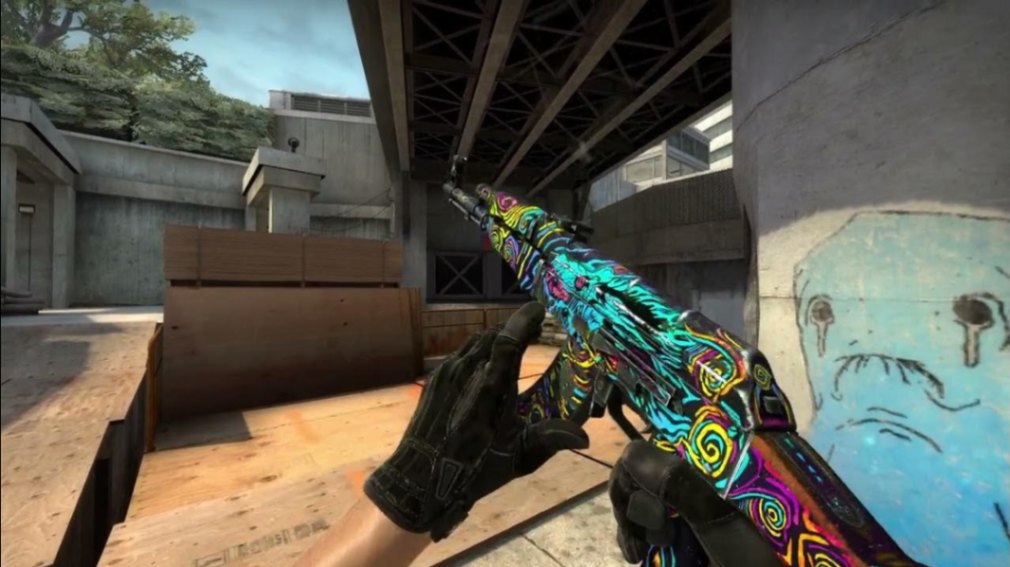
AK-47 | Nightwish
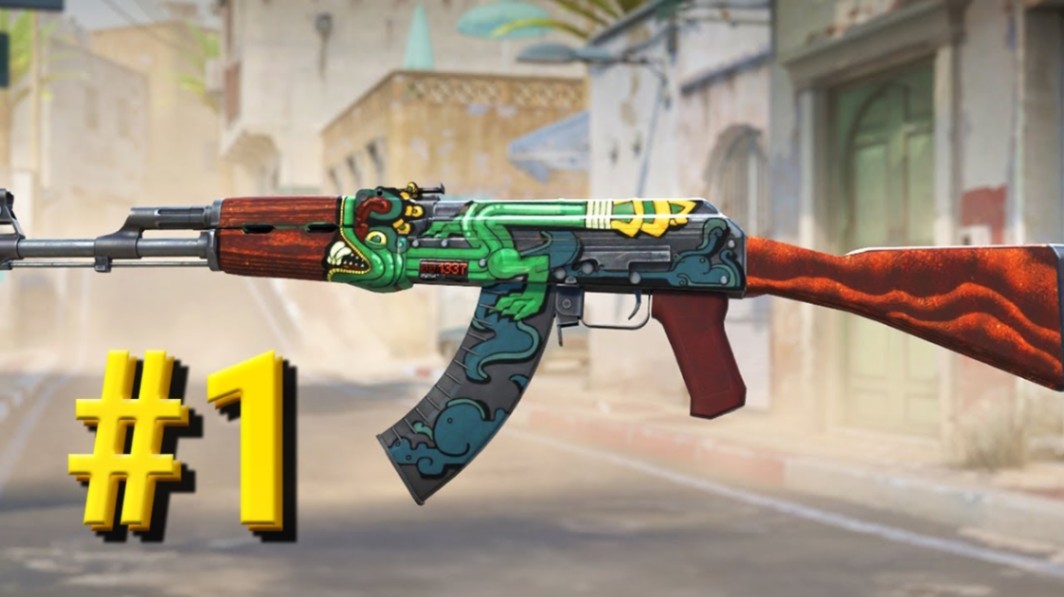
AK-47 | Fire Serpent
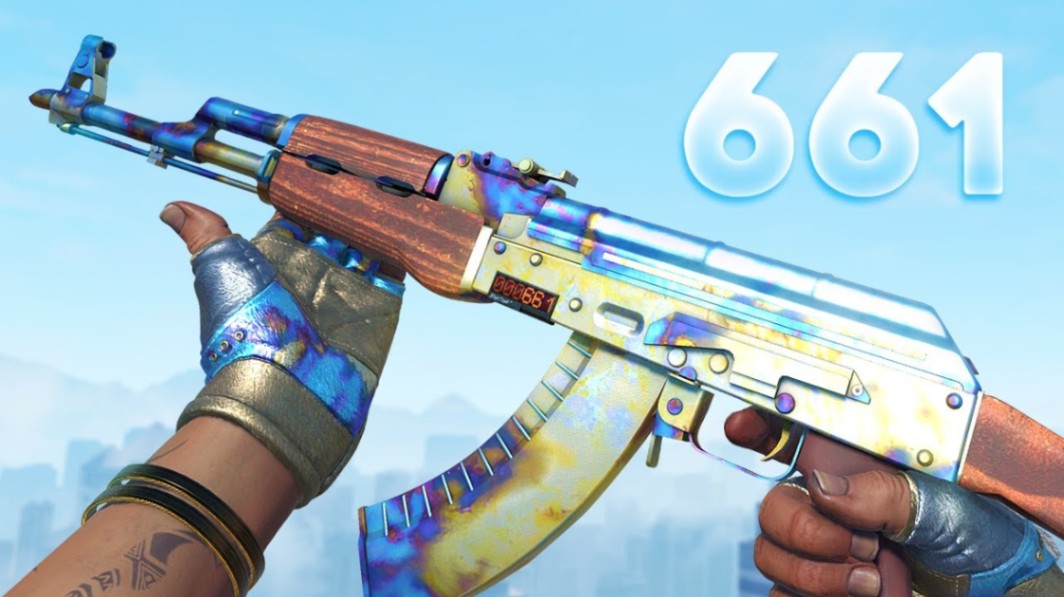
AK-47 | Case Hardened
Pro tip: If you are researching skins for trading, start with weapon filters first. It dramatically reduces clutter.
Step 3: Narrow by Collection or Case
Every CS2 skin belongs to a case or collection.
Examples include:
| Case / Collection | Example Skin |
|---|---|
| Operation Bravo Case | AK-47 Fire Serpent |
| Cobblestone Collection | AWP Dragon Lore |
| Gamma Case | Gamma Doppler knives |
| Dreams & Nightmares Case | AK-47 Nightwish |
Filtering by collection is useful for:
Case investment research
Operation skin analysis
Collection completion goals
Collectors often use this filter when hunting specific operation skins.
Step 4: Sort by Price, Popularity, or Volume
Sorting tools help you evaluate skins quickly.
Common options include:
Lowest price first
Highest price first
Most traded
Highest volume
Sorting by volume often highlights skins actively traded in the current market.
Sorting by highest price reveals rare collector pieces.
Understanding CS2 Skin Details Before Buying
Browsing skins is only the first step. Serious traders also check the analytics page for each item.
Pricempire provides several useful metrics.
Wear Tiers
Every skin appears in five wear categories:
Factory New (FN)
Minimal Wear (MW)
Field-Tested (FT)
Well-Worn (WW)
Battle-Scarred (BS)
Float values determine which wear tier an item belongs to.
Example:
AK-47 | Nightwish
Float range: 0.00 – 1.00
Factory New versions have the lowest floats.
Float Distribution
Float charts show how many skins exist within each float range.
This helps identify:
Rare low-float items
High-float collectors (e.g., 0.99+)
Collectors often search specifically for extreme float skins.
Marketplace Listings
Pricempire aggregates listings from several marketplaces and shows where skins are available.
This allows players to compare availability without opening multiple websites.
Note: Prices and liquidity change—check current offers at time of reading.
Examples of Rare and Popular Skins You Can Track
Browsing the full catalog reveals how varied the CS2 skin economy has become.
Here are a few notable examples.
AWP | Dragon Lore
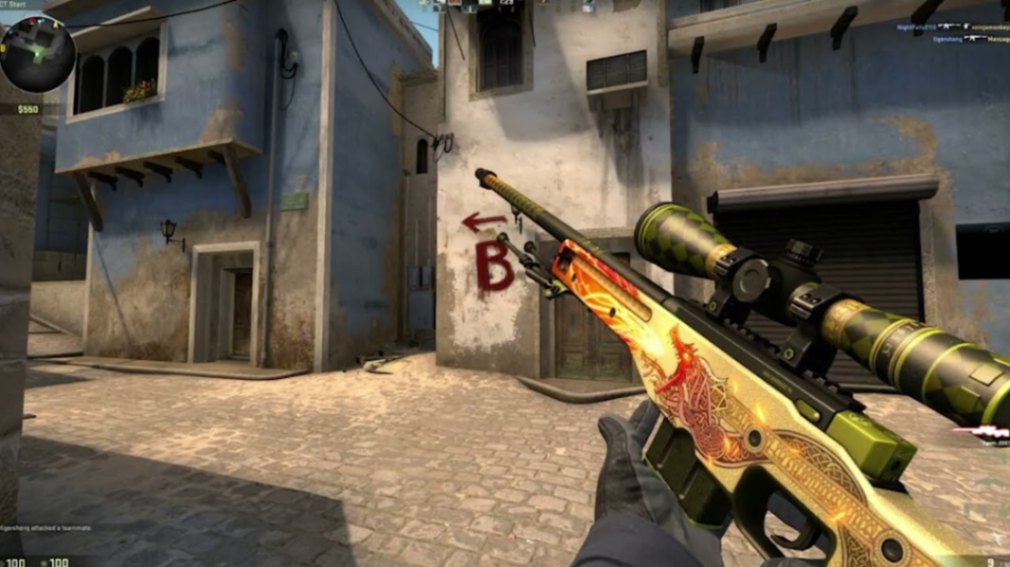 cognizable skins in Counter-Strike history.
Originally from the Cobblestone Collection, this skin appears mainly as Souvenir drops from major tournaments.
Collectors value it for rarity and legacy.
AK-47 | Nightwish
A modern case skin featuring a colorful fantasy design.
It exists across the full wear range and often appears with StatTrak variants.
Because it comes from a recent case, supply is relatively high compared to older skins.
Karambit | Doppler
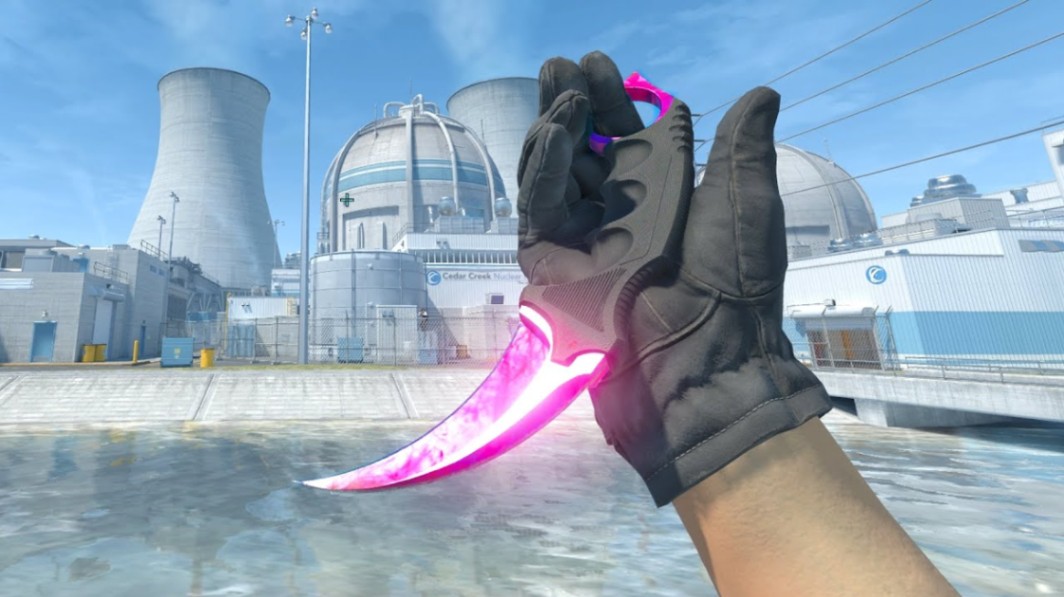
Doppler knives are unique due to their phase system.
Variants include:
Phase 1–4
Ruby
Sapphire
Black Pearl
Each phase has distinct rarity and collector demand.
M4A4 | Howl
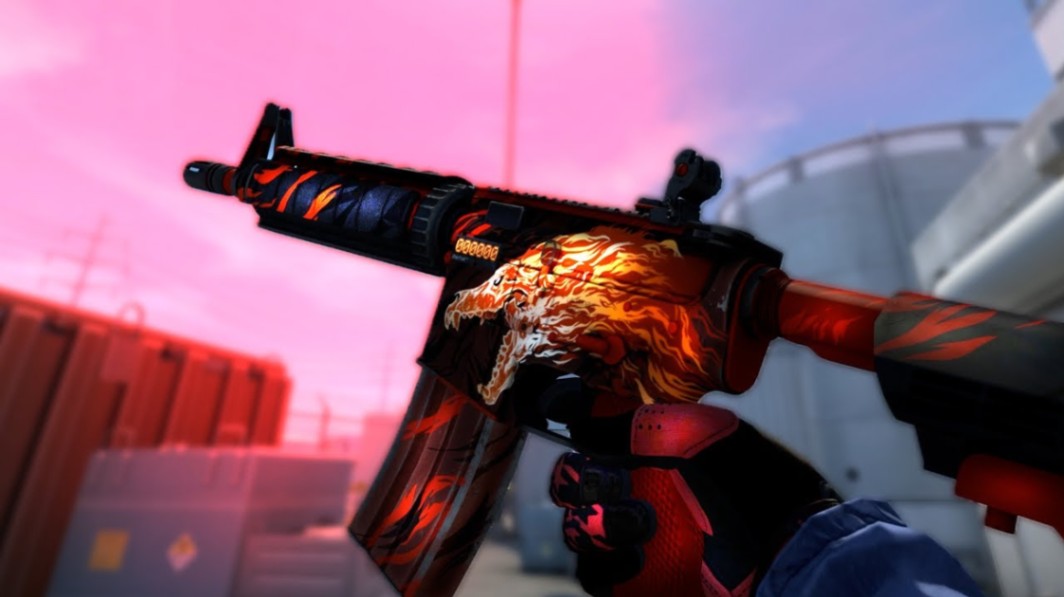
A unique case study.
The skin was removed from its original case after a copyright issue and became the only Contraband rarity skin in Counter-Strike.
That status significantly increased its collector appeal.
Pricempire vs Traditional Marketplaces
| Feature | Pricempire | Standard Marketplace |
|---|---|---|
| Full skin catalog | Yes | No |
| Cross-market comparison | Yes | Limited |
| Float distribution data | Yes | Rare |
| Collection browsing | Yes | Often missing |
| Analytics tools | Advanced | Minimal |
Marketplaces are great for purchases.
Analytics platforms are better for research and discovery.
Using both together is usually the most efficient approach.
Key Takeaways
Pricempire’s Browse page makes it easy to find all CS2 skins in one searchable database.
Filters by weapon, collection, and rarity help narrow thousands of items quickly.
Skin analytics reveal float distribution, wear tiers, and listing activity.
Examples like Dragon Lore, Nightwish, Doppler knives, and M4A4 Howl show how varied the skin ecosystem is.
Market conditions change constantly, so always verify listings before trading or purchasing.
FAQ
How many skins exist in CS2?
Counter-Strike 2 includes thousands of skins when accounting for weapons, knives, gloves, and their wear tiers. Each finish can also appear as StatTrak or Souvenir variants.
What is the easiest way to browse all CS2 skins?
Using a database-style platform like Pricempire is the simplest method. Its Browse section lists skins by weapon, collection, and rarity rather than relying on active marketplace listings.
Can I search skins by float value?
Yes. Many analytics platforms allow float filtering or float distribution charts so collectors can find extremely low or high float skins.
Are all skins still obtainable in CS2?
Not always. Some skins come from discontinued collections or operations. Others, such as souvenir skins tied to specific majors, only appear through past drops or secondary markets.
What makes some CS2 skins rarer than others?
Rarity usually depends on:
Case drop odds
Collection age
Special variants (StatTrak or Souvenir)
Pattern seeds and Doppler phases
Float extremes
Older operation skins often have significantly lower supply.
Author & Update
Written by a Counter-Strike skin economy researcher specializing in trading analytics and case investment strategies.
Updated: March 2026