
Calculating Float Combinations Using Trade-Up Smart Tools
Why Float Combinations Matter in CS2
Float determines skin wear, ranging from Factory New (FN) to Battle-Scarred (BS). In trade-ups, the average float of all 10 input skins heavily influences the output float.
That matters because low-float skins often attract:
Better market demand
Stronger resale potential
Sticker craft value
Trade liquidity
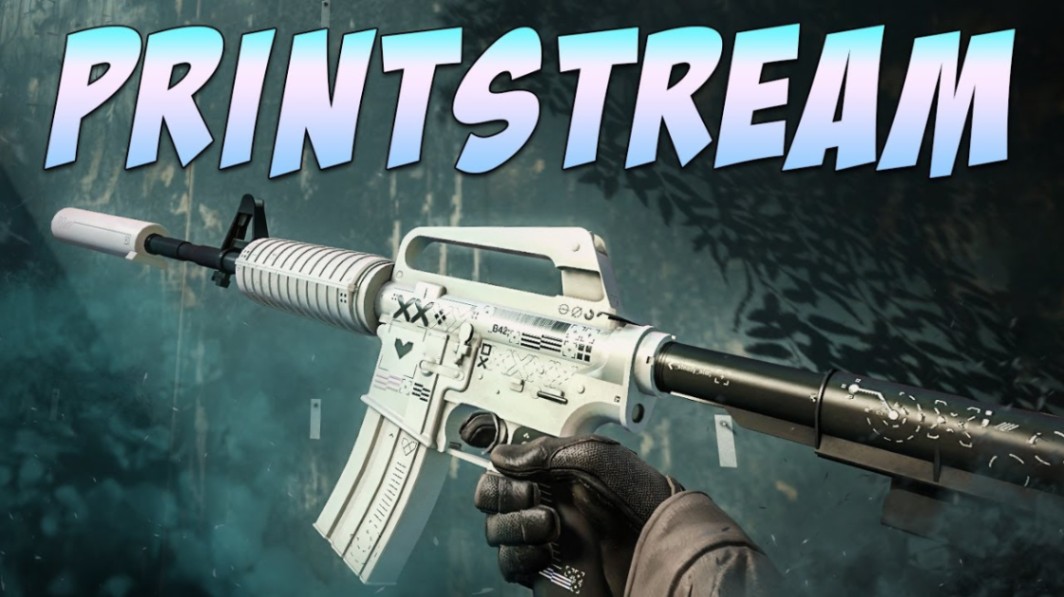
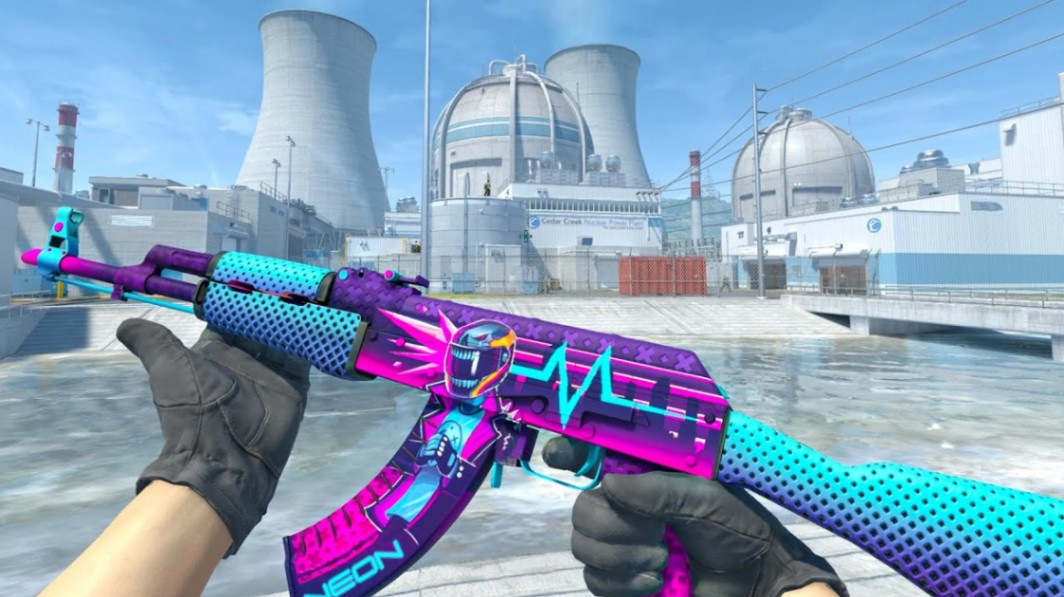
A low-float M4A1-S | Printstream or AK-47 | Neon Rider usually moves faster than heavily worn versions. The same applies to skins tied to collector patterns or premium sticker crafts.
Trade-ups are not purely random. Float calculation gives you measurable control over the outcome quality.
Wear Tier Reference
| Wear Tier | Float Range |
|---|---|
| Factory New | 0.00 – 0.07 |
| Minimal Wear | 0.07 – 0.15 |
| Field-Tested | 0.15 – 0.38 |
| Well-Worn | 0.38 – 0.45 |
| Battle-Scarred | 0.45 – 1.00 |
How Float Values Affect Trade-Up Outcomes
Every skin in CS2 has its own float cap. Some skins cannot exist in Factory New, while others have narrow wear ranges.
That changes how trade-up math behaves.
For example:
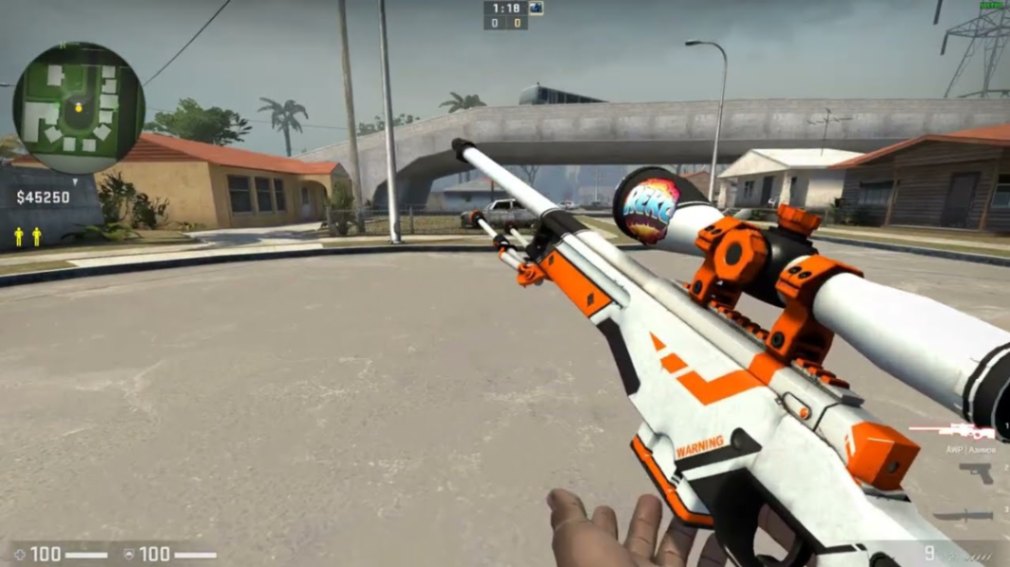
AWP | Asiimov cannot drop in Factory New.
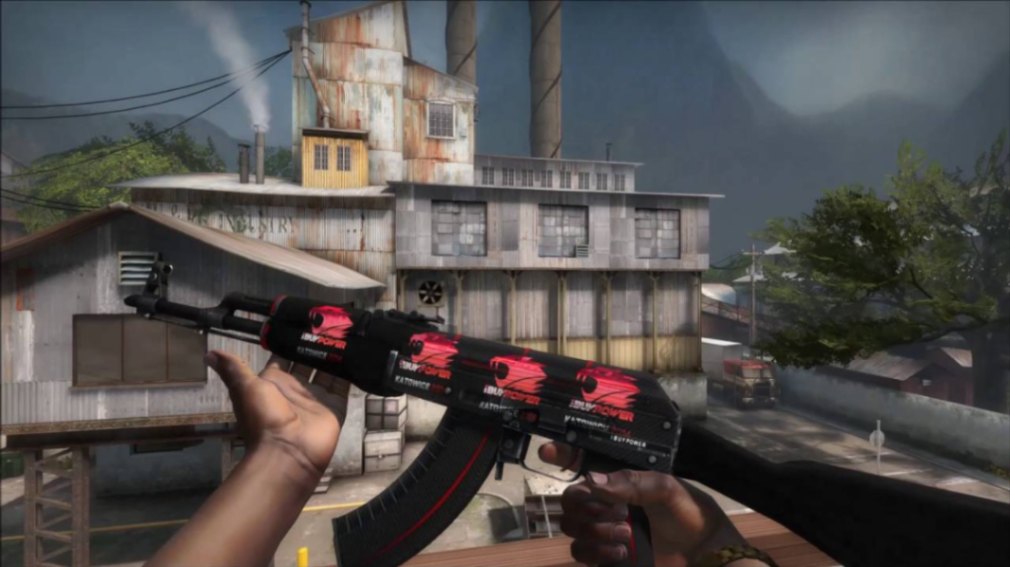
AK-47 | Redline is capped at Field-Tested.
Glock-18 | Gamma Doppler has an extremely desirable low-float range.
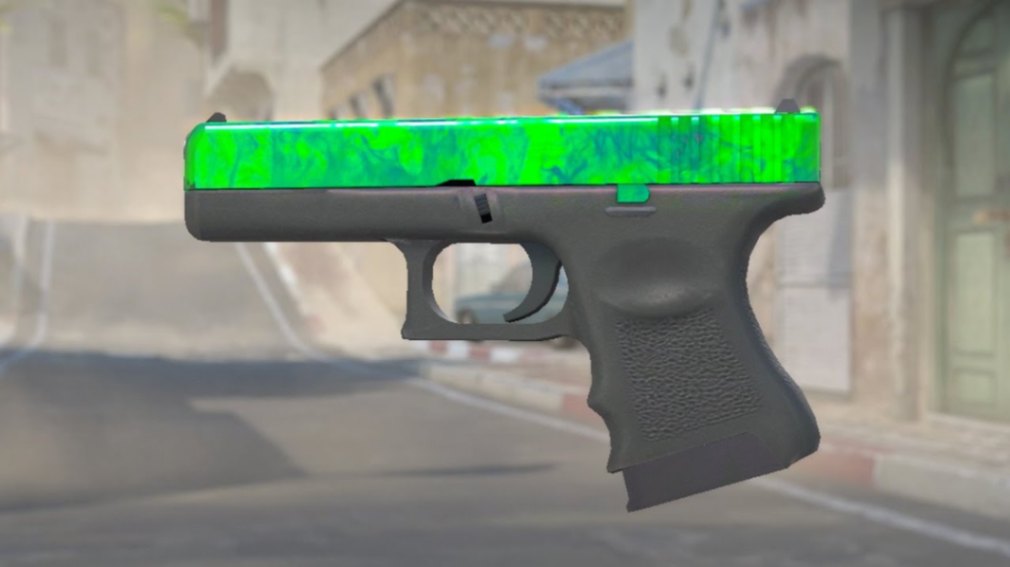
Trade-up tools account for those hidden float limits automatically.
Understanding the Formula
The simplified trade-up float formula looks like this:
Output Float=(∑i=110Input Floati10)×(Max Float−Min Float)+Min Float\text{Output Float}=\left(\frac{\sum_{i=1}^{10} \text{Input Float}_i}{10}\right)\times(\text{Max Float}-\text{Min Float})+\text{Min Float}Output Float=(10∑i=110Input Floati)×(Max Float−Min Float)+Min Float
This means the average float of your inputs scales into the output skin’s allowed range.
A lower average input float generally produces cleaner outputs.
Example
Suppose your 10 inputs average 0.04 float.
If the target skin has:
Minimum float: 0.00
Maximum float: 0.70
Your resulting output will land much lower than if you used 0.20 average inputs.
That difference can decide whether the result is Factory New or Minimal Wear.
Pro tip: Many experienced traders target average input floats below 0.10 for high-tier FN trade-ups.
Calculating Float Combinations Step by Step
Picking the Right Input Skins
Start with skins from the same rarity tier and collection.
Key factors:
Low float availability
Market supply
Collection quality
Output desirability
Popular budget inputs include:
MP9 | Goo
Glock-18 | Weasel
USP-S | Cortex
Galil AR | Signal
Avoid overpaying purely for ultra-low floats unless the output justification is strong.
Simulating Outcomes
Modern trade-up smart tools allow you to:
Import inventory automatically
Calculate average float instantly
Simulate output wear
Compare profitability scenarios
Useful calculations include:
Best-case float
Worst-case float
Average expected output
Collection odds split
This becomes especially important in mixed-collection contracts.
Example Trade-Up Setup
A common strategy uses low-float Restricted skins from the Spectrum collection to chase:
AK-47 | Bloodsport
M4A1-S | Decimator
Even small float improvements can shift outputs from Minimal Wear into Factory New territory.
Best Smart Tools for Trade-Up Calculations
Several community tools help with calculating float combinations accurately.
Essential Features to Look For
| Feature | Why It Matters |
|---|---|
| Float averaging | Core trade-up math |
| Collection filtering | Better outcome targeting |
| Wear simulation | Predict output condition |
| Price integration | Helps estimate ROI |
| Steam inventory sync | Faster setup building |
Some calculators also track:
Pattern seeds
StatTrak compatibility
Collection probability splits
Profitability ranges
Pattern-based skins like Case Hardened or Fade variants still require separate pattern analysis beyond float calculation alone.
Smart Tool Workflow
Choose target output
Review collection float caps
Add low-float inputs
Simulate outcomes
Compare expected wear tiers
Verify market demand before crafting
Note: A profitable float result does not guarantee fast resale. Liquidity matters as much as theoretical value.
Real CS2 Trade-Up Examples
Example 1: M4A1-S | Hyper Beast
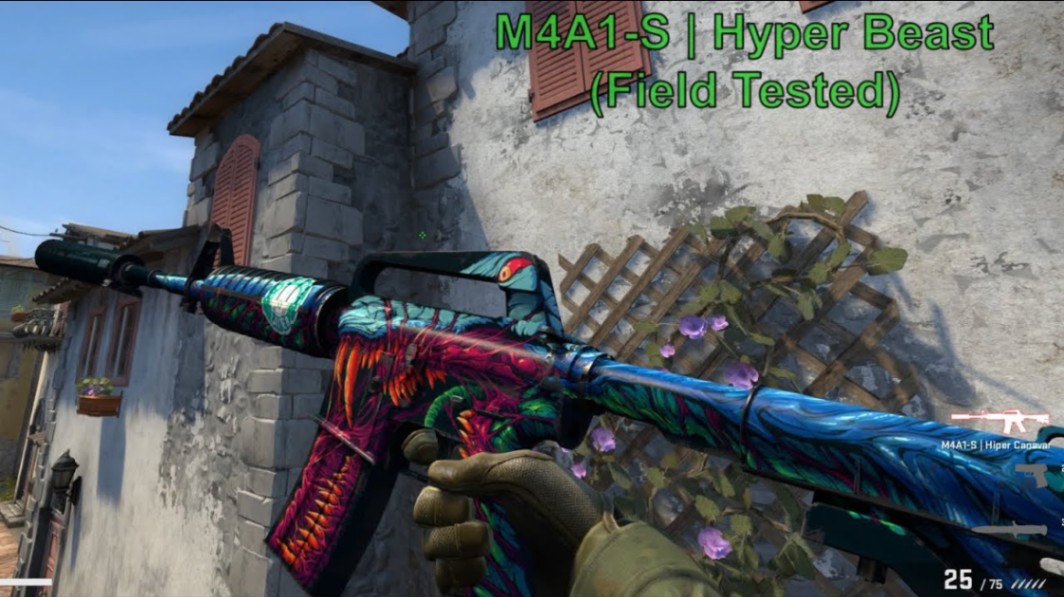
Using low-float Chroma collection inputs can improve odds of landing:
Factory New
Cleaner sticker placement
Better Steam Market visibility
Even a small float difference near 0.07 can affect buyer interest.
Example 2: AWP | Fever Dream
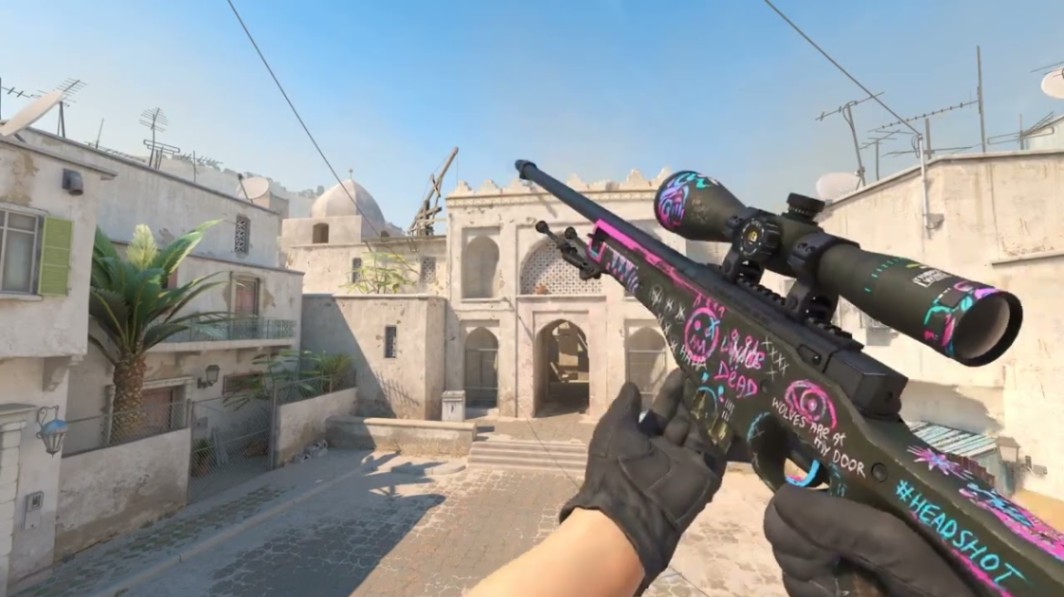
This skin remains popular for budget crafts and colorful inventories.
Lower-float versions typically look cleaner around the scope and barrel compared to high MW or FT variants.
Example 3: Glock-18 | Gamma Doppler
Float precision becomes critical here because Gamma Doppler finishes show wear very clearly.
Collectors often prioritize:
Phase quality
Clean corners
Ultra-low float combinations
Example 4: AK-47 | Neon Rider
Neon Rider trade-ups benefit from controlled MW outputs. High-float FT results usually sell slower.
Common Float Calculation Mistakes
Ignoring Collection Weighting
Mixed collections dilute your odds.
If 7 skins come from one collection and 3 from another, output chances split proportionally.
Many newer traders overlook this.
Overpaying for Tiny Float Gains
A 0.001 float improvement rarely justifies massive premiums unless targeting collectors.
Focus on realistic ROI.
Forgetting Output Caps
Some skins simply cannot hit Factory New.
Always check float limits before building contracts.
Chasing Illiquid Outputs
Low-float skins only matter if buyers actually want them.
Older niche collections can become difficult to move despite technically profitable outcomes.
Pro tip: High-demand skins with strong sticker craft potential usually maintain better liquidity over time.
Advanced Tips for Better Low-Float Results
Use Float Buffers
Avoid averages sitting directly near wear cutoffs.
For example:
0.069 average risks slipping into MW
0.055 gives safer FN consistency
Target Narrow Float Ranges
Certain collections naturally compress output wear ranges.
That reduces volatility.
Monitor Market Timing
Trade-up profitability changes constantly with:
Case supply
Operation releases
Collection demand
Sticker trends
Kato 2014 crafts, holo sticker hype, and Doppler phase popularity can shift demand quickly.
Test Multiple Scenarios
Good traders rarely rely on a single simulation.
Run multiple combinations and compare:
ROI
float outcome
liquidity
risk exposure
Key Takeaways
Calculating float combinations gives real control over CS2 trade-up outcomes.
Lower average input floats improve chances for clean FN outputs.
Smart trade-up tools reduce mistakes and speed up contract planning.
Collection selection matters just as much as float precision.
Always verify output demand before committing expensive inputs.
Mixed collections change output odds and should be calculated carefully.
FAQ
What is the best float for CS2 trade-ups?
Most players aim below 0.10 average float for better Factory New potential. Exact targets depend on the output skin’s float cap.
Do trade-up calculators guarantee profit?
No. They improve prediction accuracy but cannot guarantee market profit or desirable outputs.
Can you get Factory New from mixed-float inputs?
Yes, if the overall average float remains low enough and the target skin supports FN wear.
Why do some skins never appear in Factory New?
Certain CS2 skins have capped float ranges. AWP | Asiimov and AK-47 | Redline are common examples.
Are low-float skins always more expensive?
Usually, but demand matters. Popular skins with good crafts or finishes benefit the most from low floats.
Do pattern seeds matter in trade-ups?
Float and pattern are separate systems. Trade-up contracts influence float, while pattern seeds remain randomized.
Author & Update
Written by a CS2 skin market editor focused on trade-ups, float mechanics, and Steam economy trends. Updated: May 2026.